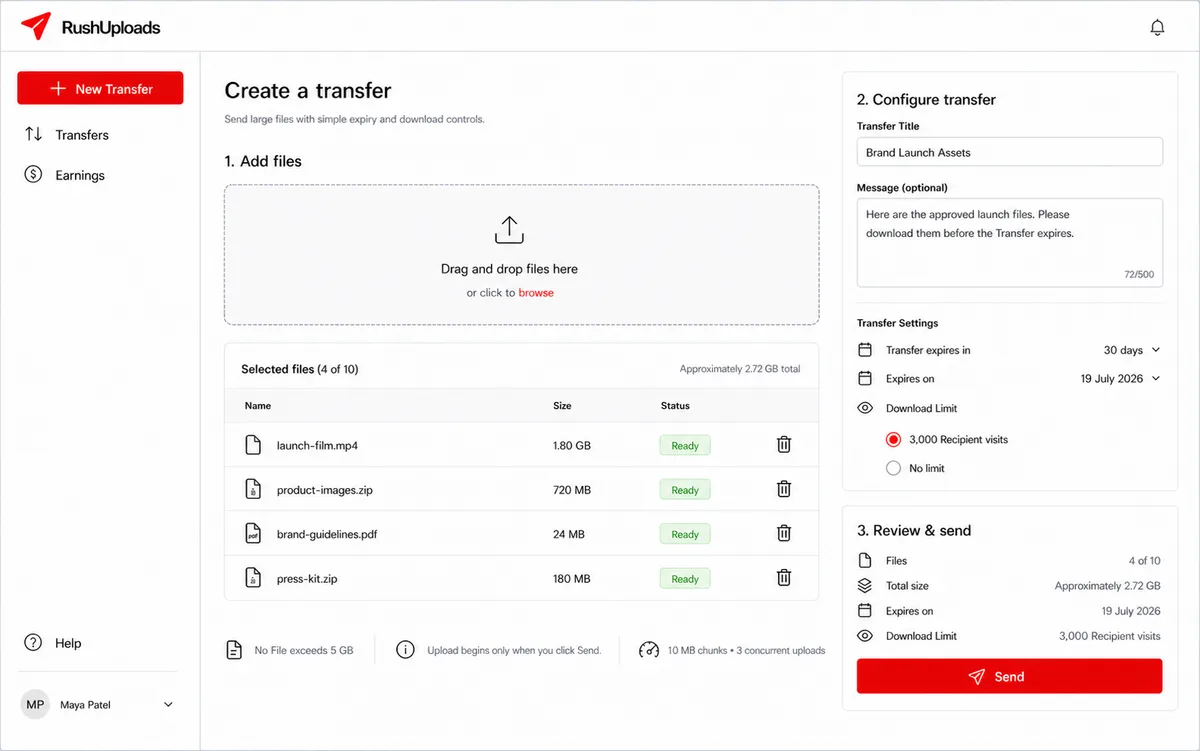
Picking files is not sending them
Nothing uploads when a sender drops files in. The transfer stays a draft until they press send, because a 2.7 GB upload is expensive to start and worse to restart, and people change the title, the message, or the expiry after they have already chosen the files. That left the client managing three states rather than one, and it is the reason an abandoned draft never becomes a live public link with somebody’s files behind it.
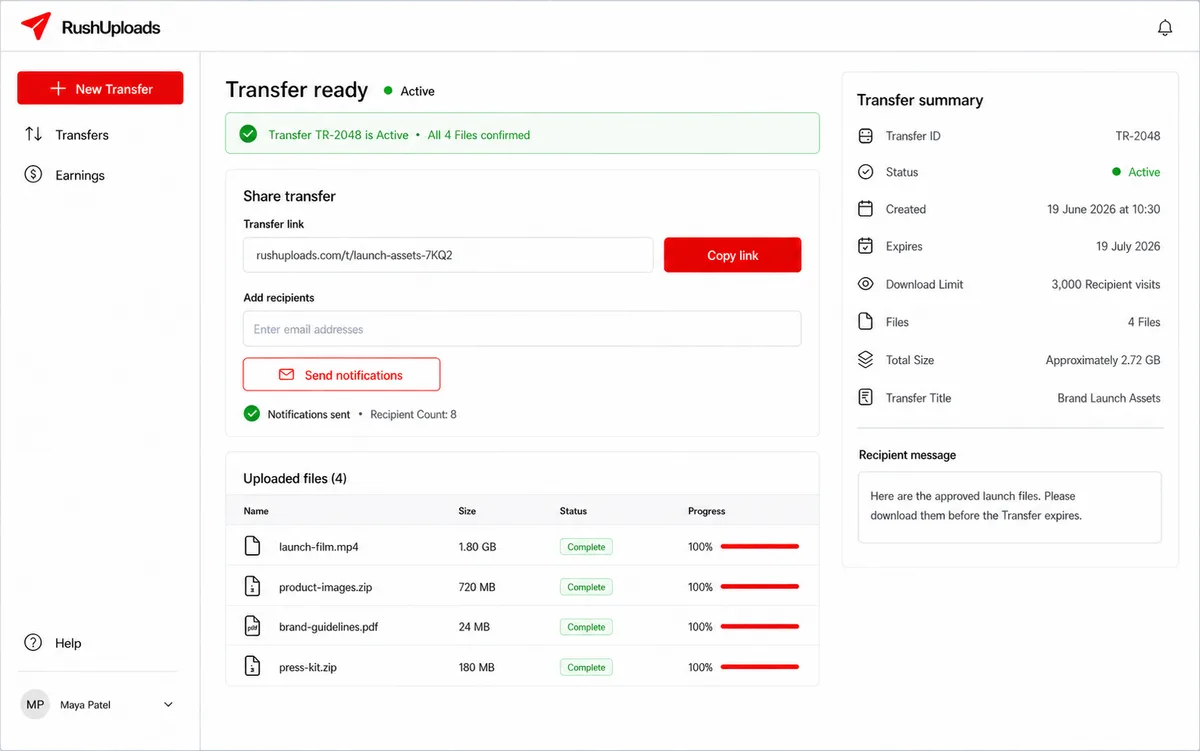
The link appears last
A sender only gets a shareable URL once every file has finished uploading, so a half-uploaded transfer cannot be handed to anyone. From there they can copy the link themselves or have the product email a list of recipients, and the transfer starts counting visits against its cap.
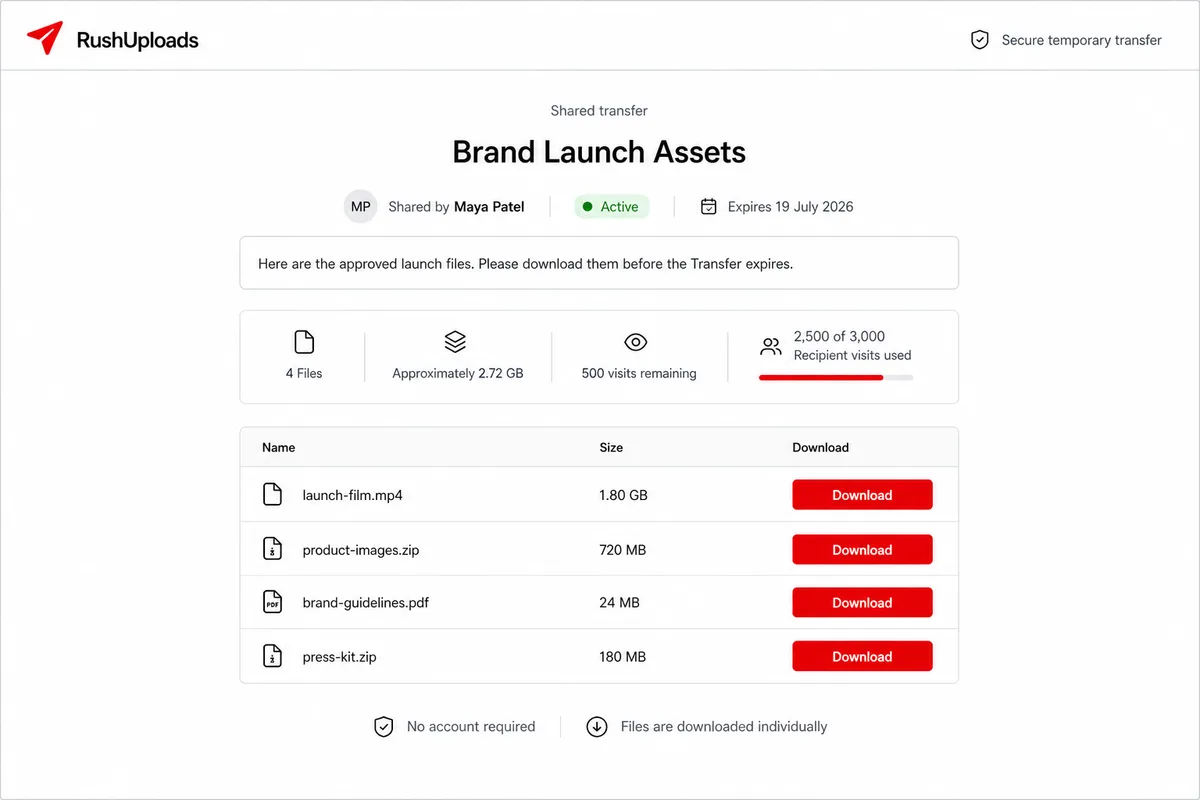
Recipients never sign up
Whoever receives the link can see the title, who sent it, the message, every filename and size, and when it expires, without an account and without an ad. Asking a stranger to register before they can tell whether the link is legitimate is how these products lose people.
Looking is free, downloading pays
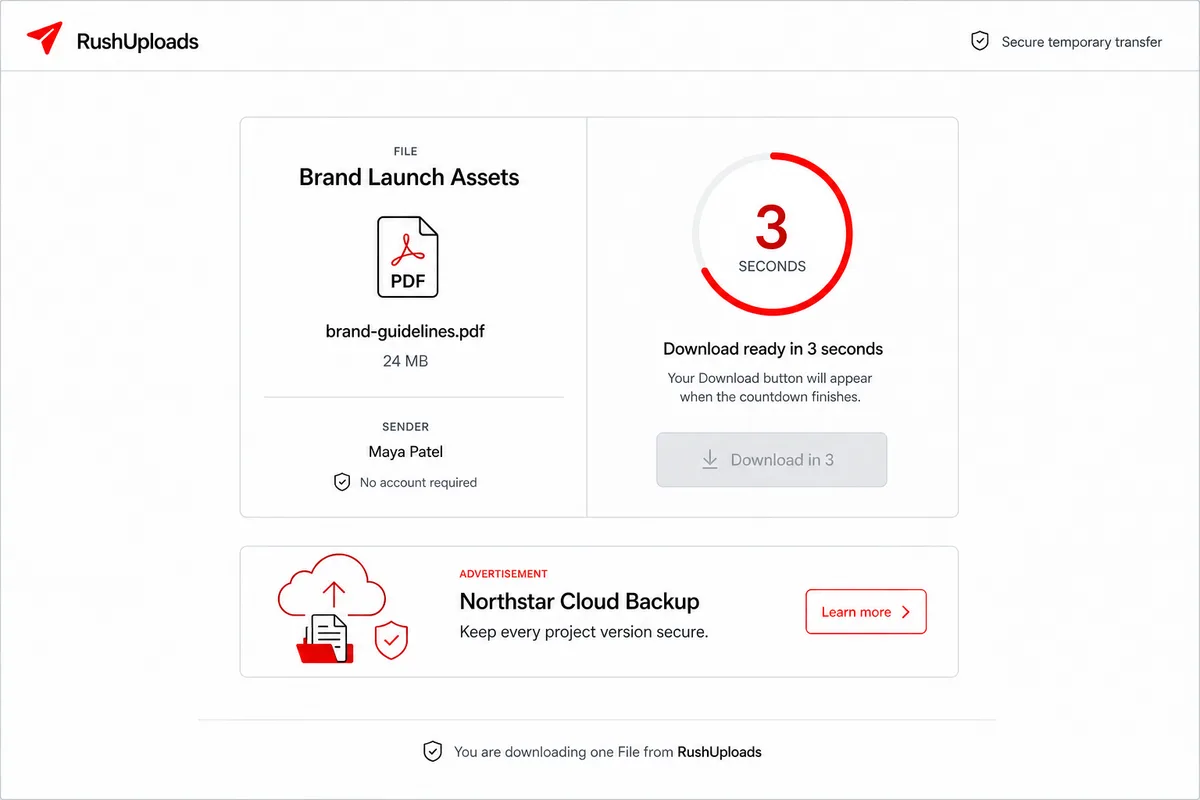
The ad and its countdown live on a separate route from the transfer page, one file at a time. Recipients can therefore inspect a transfer as often as they like without generating revenue, and I keyed earnings to a finished countdown rather than a page view, since a page view is trivially inflated and advertisers are paying for attention. It costs the recipient one extra navigation on the way to each file, which is the honest price of the thing being free.
Senders can see what they earned
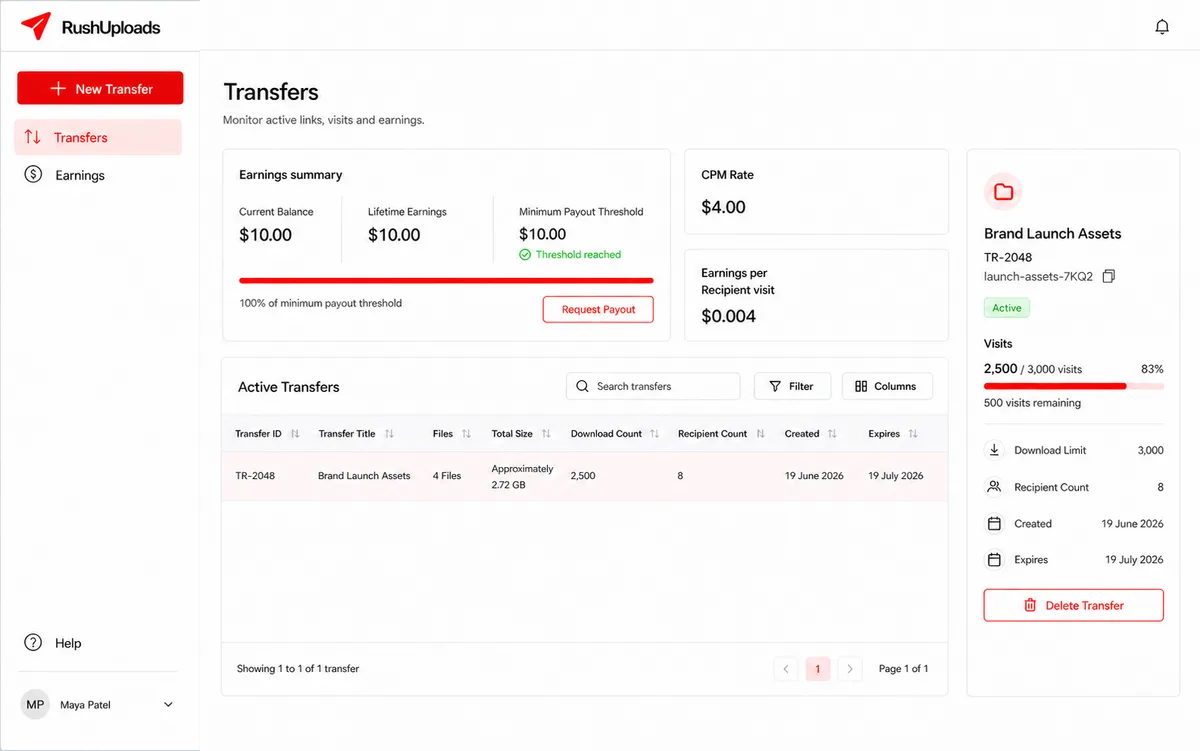
The dashboard answers two questions at once: what is happening to my transfers, and what am I owed. Per transfer it shows visits against the cap, download and recipient counts, and expiry. Above that sits the balance, lifetime earnings, the rate being paid per visit, and the payout button once the threshold is met.
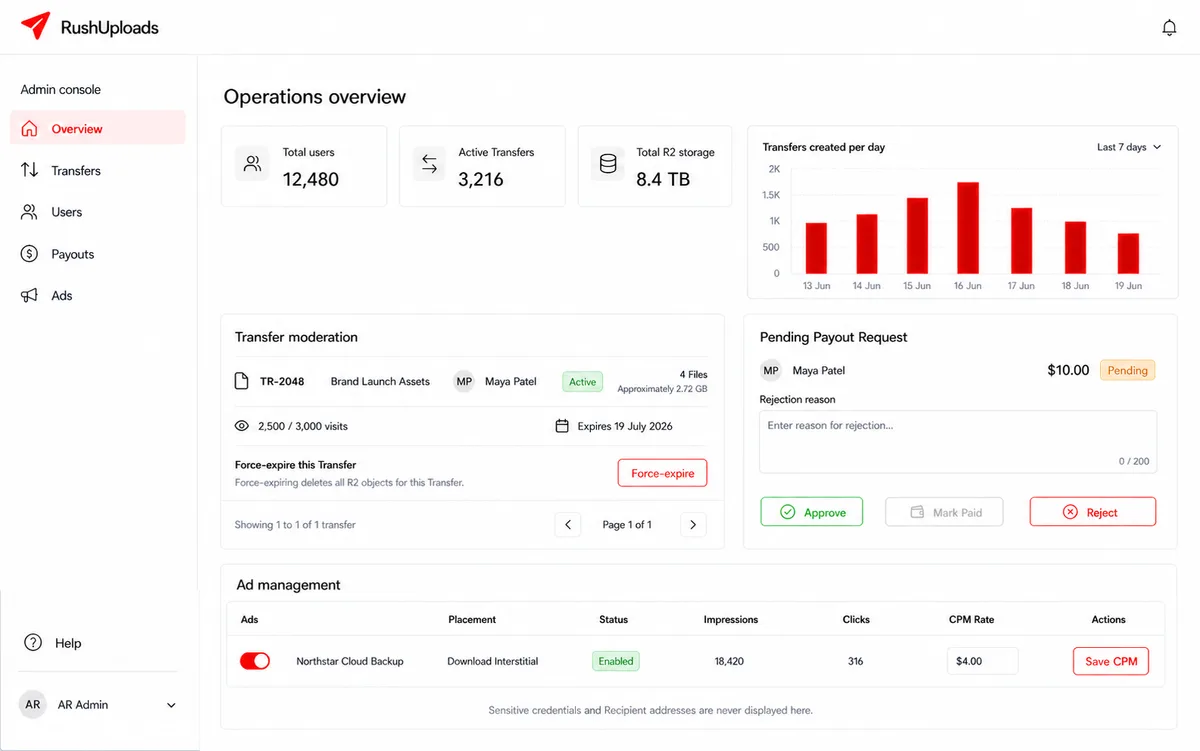
Anonymous uploads need a kill switch
Letting people publish files without an account means somebody has to be able to take them down. Admins can force-expire a transfer — deleting the stored objects rather than just hiding the page — disable users, and approve or reject payout requests with a written reason. They also set the CPM the whole earnings model runs on. What the console will not show them is recipient email addresses or credentials.